Dutch OCR — Image to Text & PDF
Haal Nederlandse tekst uit afbeeldingen en gescande documenten
- Diacritics support
- IJ digraph
- Document processing
Free image OCR. No account needed. PDFs use pages.
Open OCR for all languagesCamera obscura, 1864
Real scan. Unedited OCR.
$2
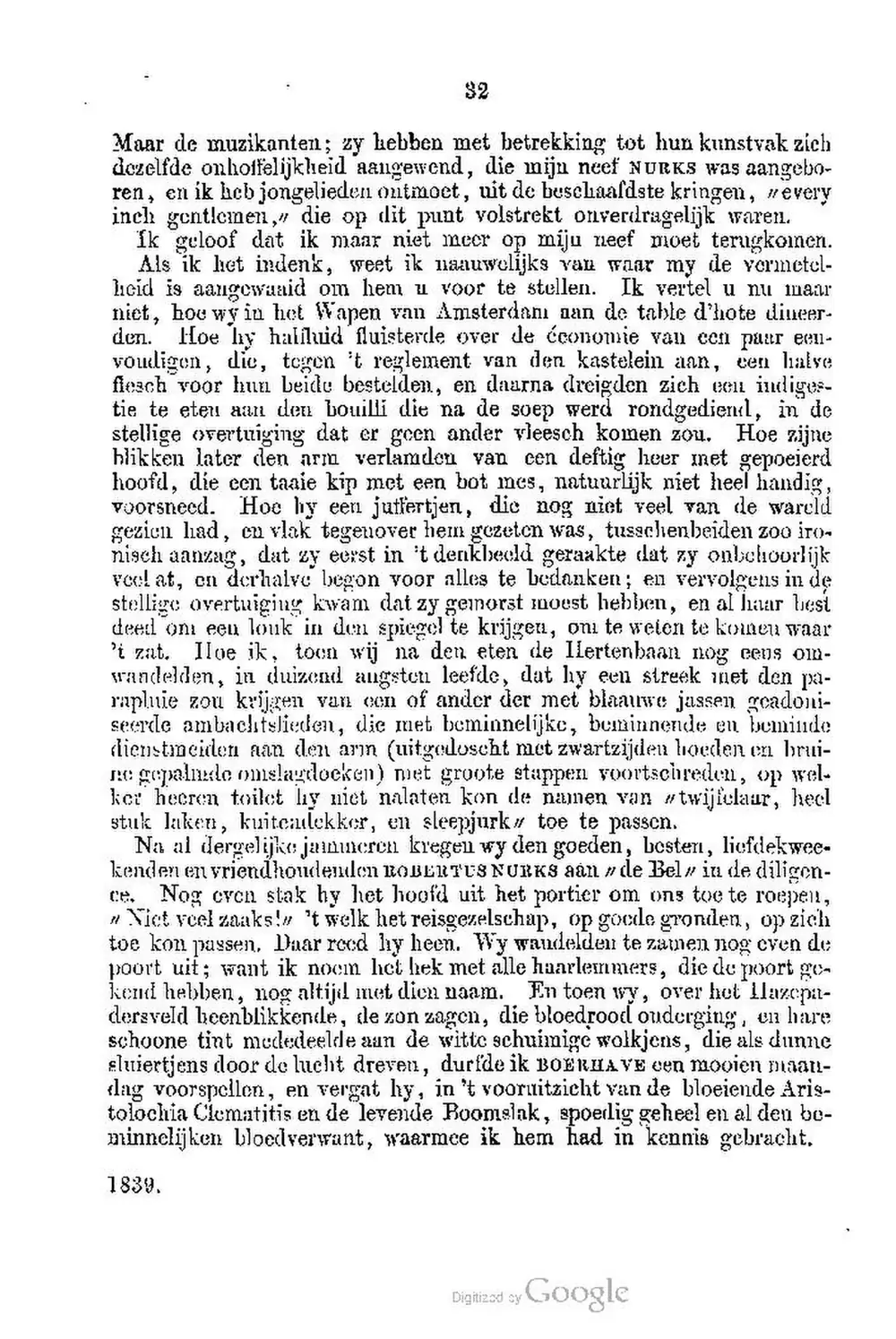
Maar de muzikanten; zy hebben met betrekking tot hun kunstvak zich
dezelfde onhoffelijkheid aangewend, die mijn neef NURKS was aangebo-
ren, en ik heb jongelieden ontmoet, uit de beschaafdste kringen, every
inch gentlemen, die op dit punt volstrekt onverdragelijk waren.
Ik geloof dat ik maar niet meer op miju neef moet terugkomen.
Als ik het indenk, weet ik naauwelijks van waar my de vermetel-
heid is aangewaaid om hem u voor te stellen. Ik vertel u nu maar
niet, hoe wy in het Wapen van Amsterdamı aan de table d'hote diueer-
den. Hoe hy halfluid fluisterde over de économie van een paar een-
voudigen, die, tegen't reglement van den kastelein aan, een halve
fleach voor hun beide bestelden, en daarna dreigden zich een indiges-
tie te eten aan den bouilli die na de soep werd rondgedien, in de
stellige overtuiging dat er geen ander vleesch komen zou. Hoe zijne
blikken later den arm verlamden van een deftig heer met gepoeierd
hoofd, die een taaie kip met een bot mes, natuurlijk niet heel handig,
voorsneed. Hoe hy een juffertjen, die nog niet veel van de wareld
gezien had, cu vlak tegenover hem gezeten was, tusschenbeiden zoo iro-
nisch aanzag, dat zy eerst in't denkbeeld geraakte dat zy onbehoorlijk
veel at, en derhalve begon voor alles te bedanken; en vervolgens in de
stellige overtuiging kwam dat zy gemorst moest hebben, en al haar best
deed on een louk in den spiegel te krijgen, oni te weten te komen waar
't zat. Iloe ik, toen wij na den eten de Ilertenbaan nog eens om-
wandelden, in duizend augsten leefde, dat hy een streek net den pa-
rapluie zou krijgen van een of ander der met blaauwe jassen geadoni-
seerde ambachtslieden, die met beminnelijke, beminnende en beminde
dienstmeiden aan den arm(uitgedoscht met zwartzijden hoeden en brui-
ne gepalmde omslagdoeken) met groote stappen voortschreden, op wel-
ker heeren toilet hy niet nalaten kon de namen van twijfelaar, heel
stuk laken, kuitenlekker, en sleepjurk toe te passen.
Na al dergelijke jammeren kregen wy den goeden, besten, liefdekwee-
kenden en vriendhoudenden ROBERTUS NURKS aan de Bel in de diligen-
ce. Nog even stak hy het hoofd uit het portier om ons toe te roepen,
» Niet veel zaaks!'t welk het reisgezelschap, op goode gronden, op zich
toe kon passen. Daar reed hy heen. Wy wandelden te zamen nog even de
poort uit; want ik noem het hek met alle haarlemmers, die de poort ge-
kend hebben, nog altijd met dien naam. En toen wy, over het lilazepa-
dersveld beenblikkende, de zon zagen, die bloedrood ouderging, en hare
schoone tint mededeelde aan de witte schuimige wolkjens, die als dunne
sluiertjens door de lucht dreven, durfde ik BOERHAVE een mooien maan-
lag voorspellen, en vergat hy, in't vooruitzicht van de bloeiende Aris-
tolochia Clematitis en de levende Boomslak, spoedig geheel en al den be-
minnelijken bloedverwant, waarmee ik hem had in kennis gebracht.
1839.
Digizod by sy Google
Original text order preserved
Dutch OCR converts images, scans and PDFs containing Dutch (Nederlands) text into editable, searchable digital text. FastOCR reads Dutch online: upload an image with no account, or a PDF with a free account, then copy the text or download a searchable PDF. Accuracy depends on scan quality, so check the result against your original.
Try it with your Dutch document
Drop your file here
PDF, PNG, JPG, WebP, BMP, HEIC
PDF up to 1 GB · images up to 20 MB
Tips for a clear photo
- Lay the page flat.
- Use even light, with no shadows.
- Turn off the flash to avoid glare.
- Fill the frame with the page.
What is Dutch OCR & Developer API?
Developer API docs →Dutch OCR is the automated process of converting scanned multi-page PDFs up to 1GB and documents into editable, searchable Dutch text while preserving accents, complex ligatures, and native character shapes. FastOCR reads printed text in this script and generates full-text searchable PDFs with selectable text overlays. For engineering teams building RAG pipelines, vector search databases, or automated document ingestion, FastOCR also provides a Dutch OCR REST API at api.fastocr.org with 20 free pages a month for every signed-in account. The API accepts PDF files up to 1 GiB, and PNG, JPG, JPEG, GIF, WebP and BMP images up to 20 MiB. An image counts as one page.
Diacritics support
Handles ë, ï, é and other Dutch diacritical marks.
IJ digraph
Correctly recognizes the Dutch IJ/ij as a single unit when appropriate.
Document processing
Works with Dutch legal, academic, and business documents.
Mixed Dutch & English
Bilingual documents handled in a single pass.
Searchable PDF output
Creates PDFs with invisible text layer for full-text search.
Translate after extraction
Extract Dutch text then translate to any language.
Why Dutch OCR Is Challenging
- Recognizing the IJ/ij digraph which is sometimes treated as a single letter and sometimes as two
- Handling Dutch compound words that can be extremely long (e.g., arbeidsongeschiktheidsverzekering)
- Preserving diacritics on borrowed words: café, coöperatie, reünie, geïnteresseerd
- Processing historical Dutch documents with archaic spelling and colonial-era typography
- Distinguishing between Dutch and Afrikaans text which share many words but differ in spelling
How to Extract Dutch Text from a PDF & Images
- Go to fastocr.org
- Upload your Dutch image or PDF. Language is detected automatically.
- Wait for processing — images take seconds, PDFs show a progress bar.
- Download results: searchable PDF, raw text file, or copy text directly.
Tips for Better Dutch OCR Accuracy
- Verify the IJ digraph is correctly recognized — some OCR engines split it or misread it as U
- Check that long compound words are kept intact and not broken into separate words
- For words with trema (ë, ï, ö, ü), verify diacritics are preserved in the output
- Scan at 300 DPI to preserve diacritical marks on borrowed and adapted Dutch words
Common Use Cases for Dutch OCR
- Digitizing Dutch legal documents, contracts, and notarial deeds
- Extracting text from Dutch government forms and municipal records
- Converting scanned Dutch academic papers and university publications
- Processing Dutch business invoices and commercial correspondence
- Archiving Dutch colonial-era documents and historical VOC records
FastOCR vs Standard OCR Apps for Dutch
| Capability | FastOCR Dedicated Cloud AI | Standard Online OCR Tools |
|---|---|---|
| Dutch Script Recognition | ✅ Full native cloud recognition for Dutch (complex alphabets and diacritics) | Limited character sets or unhandled accents |
| Multi-Column & Table Layouts | ✅ Preserves proper paragraph and table alignment | Merges unrelated columns together |
| Searchable PDF Output | ✅ Dual-layer searchable PDF with coordinate-aligned text overlay | Plain unformatted text dump only or unsupported |
| Instant Web Access | ✅ Zero software installation (runs in mobile & desktop browser) | Requires local CLI libraries or complex desktop setup |
Frequently Asked Questions
Does Dutch OCR handle the IJ digraph correctly?
Yes. FastOCR recognizes IJ/ij as used in Dutch text. In most cases it is output as two characters (I+J) which is the standard digital representation.
How accurate is Dutch OCR?
FastOCR reads printed Dutch text. Compound words and diacritics on loanwords are handled reliably.
Can it distinguish Dutch from Afrikaans?
The OCR extracts text as-is without language classification. Both Dutch and Afrikaans use Latin script and are extracted with equal accuracy.
Is Dutch OCR free?
Image OCR is free with no registration. PDF processing requires a free account — see fastocr.org/pricing for plan details.
Dedicated Dutch Tools
PDF to Text
Convert and extract Dutch documents.
Image to Text
Convert and extract Dutch documents.
Handwriting OCR
Convert and extract Dutch documents.
Searchable PDF
Convert and extract Dutch documents.
Dutch to English Translation
Convert and extract Dutch documents.
English to Dutch Translation
Convert and extract Dutch documents.
All supported languages
Convert and extract Dutch documents.
Explore Specialized OCR Workflows
FastOCR provides dedicated AI text recognition engines optimized for complex document types and formats:
Free for images. No registration required.
Related Articles & Resources
Image to Text
Convert any image to editable text instantly
German OCR
OCR for German — a closely related Germanic language
French OCR
Extract text from French documents — relevant for Belgian Dutch users
Indonesian OCR
OCR for Indonesian — historically influenced by Dutch
PDF to Text
Extract text from scanned and native PDFs
What is OCR?
Learn how optical character recognition technology works.
How Accurate Is OCR?
Discover the accuracy limits of modern OCR technology.
Dutch OCR Guide
Read the complete guide to Dutch OCR and text extraction.
Free Dutch OCR
Upload & Extract TextLast updated: July 24, 2026